WordPress Login: A Complete Guide for Secure Access and SEO Optimization
Introduction:
In today’s digital landscape, managing your website efficiently starts with secure and seamless access. For businesses and individuals using WordPress, the login process is the gateway to everything—from publishing content to optimizing SEO performance. Whether you are a beginner or an experienced webmaster, understanding how the WordPress login system works is essential for maintaining website security, improving workflow, and ensuring optimal performance.
At Seohub Ltd., a complete SEO services provider, we emphasize not only ranking your website but also maintaining its technical health. This comprehensive guide explores everything you need to know about WordPress login, including how it works, common issues, security tips, and SEO implications.
What is WordPress Login?
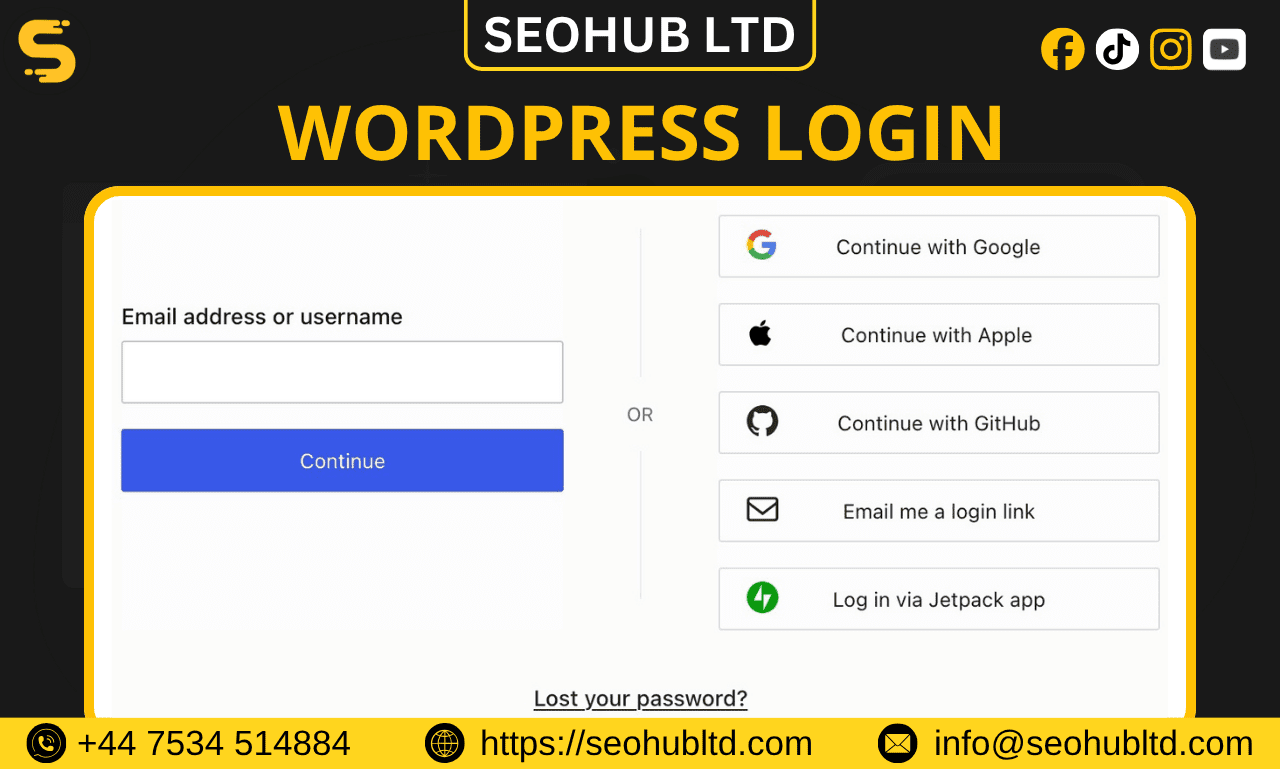
The WordPress login is the authentication system that allows users to access the admin dashboard of a WordPress website. Through this panel, users can manage content, install plugins, customize themes, and monitor performance.
Typically, the login page is accessed via:
- yourwebsite.com/wp-login.php
- yourwebsite.com/wp-admin
Once logged in, users are redirected to the dashboard, which acts as the control center of the website.
Importance of WordPress Login for Website Management
The login system plays a crucial role in website management. It ensures that only authorized users can access sensitive areas of the site.
Key Functions:
- Content creation and editing
- Plugin and theme management
- SEO optimization tasks
- User role management
- Security configurations
For SEO agencies like Seohub Ltd., login access is essential to implement strategies such as on-page SEO, technical audits, and performance optimization.
How to Access WordPress Login Page
Accessing your WordPress login page is simple, but it can vary depending on your setup.
Standard Methods:
- Enter /wp-admin at the end of your domain
- Use /wp-login.php directly
- Access via hosting dashboard (like cPanel or managed hosting)
Custom Login URLs:
Many website owners change the default login URL for security reasons using plugins like:
- WPS Hide Login
- iThemes Security
This prevents unauthorized users and bots from finding the login page easily.
Common WordPress Login Issues and Fixes
Even though WordPress is user-friendly, login issues are quite common. Here are some typical problems and their solutions:
1. Incorrect Password
- Use the “Lost your password?” option
- Reset via email
2. White Screen of Death
- Disable plugins via FTP
- Switch to default theme
3. Too Many Login Attempts
- Wait or reset via hosting panel
- Whitelist your IP
4. Cookies Error
- Clear browser cache
- Enable cookies in browser settings
5. Database Connection Error
- Check wp-config.php
- Verify database credentials
Seohub Ltd. often handles such technical issues as part of comprehensive website maintenance services.
WordPress Login Security Best Practices
Security is critical when it comes to WordPress login. A weak login system can expose your website to hacking attempts and malware attacks.
1. Use Strong Passwords
Avoid simple passwords like “123456” or “admin123.” Use a mix of:
- Uppercase and lowercase letters
- Numbers
- Special characters
2. Enable Two-Factor Authentication (2FA)
Adding an extra layer of security ensures that even if your password is compromised, your account remains protected.
3. Limit Login Attempts
Install plugins to restrict multiple login attempts and block suspicious IP addresses.
4. Change Default Username
Avoid using “admin” as your username. Hackers often target default usernames.
5. Use SSL Certificate
Ensure your login page uses HTTPS to encrypt data transmission.
6. Regular Updates
Keep WordPress core, plugins, and themes updated to avoid vulnerabilities.
Role of WordPress Login in SEO
While login itself may seem unrelated to SEO, it plays a significant role in backend optimization.
1. Access to SEO Tools
Through the dashboard, you can use plugins like:
- Yoast SEO
- Rank Math
These tools help optimize:
- Meta titles and descriptions
- Keywords
- Readability
2. Website Performance
Login access allows optimization of:
- Page speed
- Image compression
- Caching
3. Content Publishing
SEO-friendly content can only be created and published through the admin panel.
4. Technical SEO
From fixing broken links to managing redirects, all technical SEO tasks require login access.
At Seohub Ltd., we utilize WordPress login access to implement advanced SEO strategies that drive organic traffic and improve rankings.
Customizing the WordPress Login Page
Customizing your login page enhances branding and user experience.
Benefits:
- Professional appearance
- Better user trust
- Improved security
Customization Options:
- Add logo and background
- Change login URL
- Customize login form
Plugins like “LoginPress” and “WPForms” make customization easy without coding.
User Roles and Permissions
WordPress allows multiple users with different access levels.
Common Roles:
- Administrator – Full control
- Editor – Content management
- Author – Create and publish posts
- Contributor – Write but cannot publish
- Subscriber – Basic access
Proper role assignment ensures security and efficient workflow.
WordPress Login via Mobile Devices
With the rise of mobile usage, WordPress login is also accessible via smartphones.
Options:
- Browser login
- WordPress mobile app
Mobile access allows:
- Quick updates
- Real-time monitoring
- On-the-go content publishing
This flexibility is especially useful for SEO professionals managing multiple websites.
Troubleshooting Advanced Login Issues
For more complex problems, advanced troubleshooting may be required.
Methods:
- Access via FTP
- Edit .htaccess file
- Disable security plugins
- Check server logs
If issues persist, professional help from experts like Seohub Ltd. is recommended.
Best Plugins for WordPress Login Management
Here are some essential plugins to enhance login functionality:
1. Wordfence Security
Provides firewall and malware scanning.
2. iThemes Security
Offers login protection and 2FA.
3. LoginPress
Customizes login page design.
4. WP Limit Login Attempts
Prevents brute-force attacks.
5. Shield Security
Lightweight security solution.
Using these tools ensures your login system is both secure and user-friendly.
SEO Tips Related to WordPress Dashboard
Once logged in, you can implement several SEO strategies:
Optimize Permalinks
Use SEO-friendly URLs:
- /post-name/ instead of /?p=123
Install SEO Plugins
Tools like Yoast or Rank Math simplify optimization.
Improve Page Speed
Use caching plugins like:
- WP Rocket
- W3 Total Cache
Image Optimization
Compress images for faster loading.
Internal Linking
Enhance navigation and SEO value.
Why Choose Seohub Ltd. for WordPress SEO?
Seohub Ltd. is a complete SEO services provider specializing in:
- Technical SEO
- On-page and off-page optimization
- Link building strategies
- Website audits
- Performance optimization
Our team ensures that your WordPress website is not only accessible but also fully optimized for search engines.
Conclusion:
The WordPress login system is more than just an entry point—it is the foundation of website management, security, and SEO success. From accessing the dashboard to implementing optimization strategies, everything begins with a secure and efficient login process.
By following best practices such as strong passwords, two-factor authentication, and regular updates, you can protect your website from potential threats. Additionally, leveraging login access for SEO tasks ensures better rankings and improved user experience.
For businesses looking to maximize their WordPress website’s potential, partnering with experts like Seohub Ltd. can make all the difference. With the right strategies and tools, your website can achieve both security and top search engine performance.